
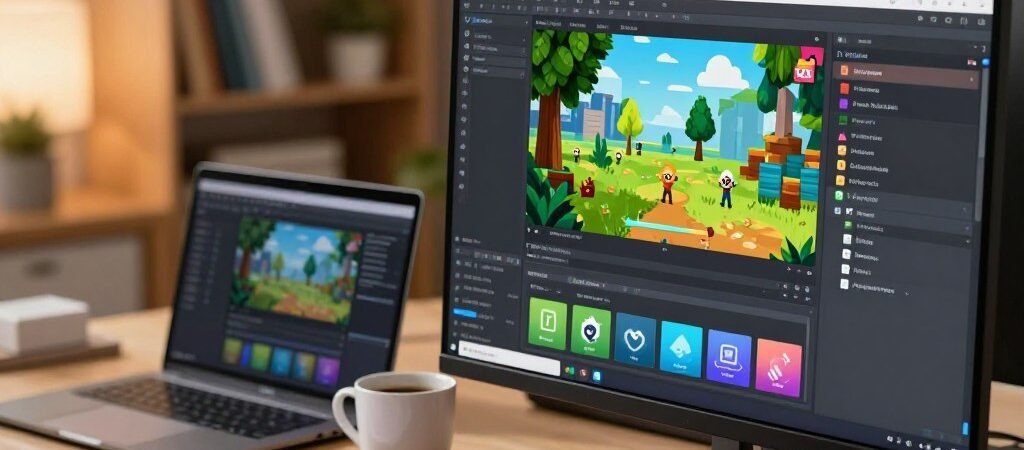
Did you know that over 70% of the top 1,000 mobile games are built on the same core technology? This fact alone highlights the immense influence one platform has on the entire industry.
When I first started exploring this world, I was amazed by its reach. This powerful engine drives experiences on everything from smartphones to high-end consoles. It has truly reshaped how creators bring their visions to life.
My journey taught me that mastering the basics is just the beginning. The real magic lies in discovering the lesser-known features that can dramatically speed up your workflow. Understanding these hidden gems can transform a good project into a great one.
This guide is packed with insights I gathered over time. I’ll share practical knowledge that can save you from common pitfalls. We will dive into techniques that can set your creations apart.
Click here to have a conversation with the experts in Unity game development
Key Takeaways
- The platform’s influence is vast, powering a majority of top-tier mobile titles.
- It offers a versatile environment for building projects across many devices.
- True efficiency comes from learning the advanced, often overlooked, tools.
- Practical advice can help you avoid wasting time on trial and error.
- This guide provides value for both newcomers and experienced creators.
Introduction to Unity Game Development
My exploration into interactive creation began when this powerful engine was first unveiled to the world in 2005. Unity Technologies introduced a tool that would change how people build digital experiences over the coming years.
I quickly learned its core strength was accessibility. It opened doors for countless developers, allowing them to create without massive teams. This platform truly put powerful tools into the hands of individual creators.

The applications surprised me most. While perfect for a video game, its use extends far beyond. Many industries now use Unity for their projects.
- Film and automotive design
- Architecture and engineering
- Military training simulations
This versatility means the skills you gain have wide value. Whether you aim for mobile, console, or web projects, the same core game engine supports your vision. It’s a foundation for many creative careers.
Click here to have a conversation with the experts in Unity game development
Why I Chose Unity for My Game Design Journey
Faced with multiple pathways for bringing my interactive visions to life, I embarked on a thorough evaluation of each platform’s strengths. This careful comparison process revealed why this particular engine stood out for creators like me.
The platform’s “least opinionated” philosophy immediately appealed to my creative approach. It provided a solid foundation without forcing predetermined workflows. This meant my design vision could shape the process rather than adapting to rigid tool constraints.
Seeing diverse successes like Monument Valley and Escape from Tarkov demonstrated remarkable versatility. The same foundation could power completely different experiences. This flexibility was crucial for my first project where I wanted room to experiment.
Community support and extensive documentation proved invaluable throughout my journey. Whenever challenges arose, I found answers quickly rather than wasting precious hours debugging alone. This support system accelerated my learning curve significantly.
The prototyping capabilities became my secret weapon. I could rapidly test concepts and iterate on mechanics before committing significant resources. This iterative approach saved me from costly dead ends and refined my final product.
Looking back, the time invested in mastering this platform paid dividends beyond my initial expectations. The skills I developed transfer seamlessly between 2D and 3D projects, mobile and desktop platforms. This foundation continues to serve my creative ambitions years later.
Overview of the Unity Game Engine
What truly impressed me about this creative toolset was its ability to support deployment across an astonishing 19+ platforms. The cross-platform architecture meant I could build a project once and reach audiences on mobile, desktop, consoles, and VR systems.
Unity Technologies designed their system around an Actor Component model that I found incredibly intuitive. GameObjects act as containers while Components provide specific functionality. This modular approach encouraged reusable code across different projects.
The scale of software built with Unity is staggering. By 2020, applications using this technology were running on over 1.5 billion devices worldwide. This demonstrates the platform’s massive reach and reliability.
Mobile experiences represent a particularly strong area for this engine. Apps created with it account for 50% of all mobile titles. They generate more than 3 billion downloads monthly.
Popular indie titles like Monument Valley prove that independent creators can achieve commercial success. The engine supports both 2D and 3D projects natively. Its primary scripting API uses C#, which I found well-documented and approachable.
Click here to have a conversation with the experts in Unity game development
History and Evolution of Unity Technologies
Watching the platform mature over nearly two decades gave me unique insight into its strategic direction. The company’s journey began with a bold mission to democratize professional tools.
Their first release in 2005 set the stage for what would become an industry standard. I remember when version 2.0 arrived with approximately 50 new features.
Early Releases and Milestones
The 2008 iPhone support addition proved incredibly timely. This move positioned the engine perfectly for the mobile revolution.
By 2012, industry surveys confirmed its dominance in mobile platforms. The release of version 5 in 2015 brought significant improvements to lighting and audio systems.
Web deployment through WebGL allowed projects to run directly in browsers. This expanded the platform’s reach beyond traditional applications.
Modern Advancements and Updates
The shift to annual releases starting in 2017 meant more frequent updates. I appreciated getting new features without waiting years between major versions.
Machine learning integration in 2018 demonstrated forward-thinking innovation. Tools like Imitation Learning showed how projects could learn from user behavior.
The recent 2024 launch introduced generative AI capabilities. These new tools represent the next evolution in content creation assistance.
Throughout these years, the company maintained backward compatibility while adding competitive features. This consistent development trajectory shows their commitment to both existing projects and future innovation.
Click here to have a conversation with the experts in Unity game development
Setting Up Your Unity Environment
Getting your workspace ready correctly from day one is crucial for smooth sailing. I learned this after my first installation caused unnecessary troubleshooting. Proper configuration saves time and prevents frustration.
Downloading and Installing Unity
The first step to use unity effectively begins with Unity Hub. This management tool revolutionized how creators handle multiple versions. It centralizes installations and project creation.
Choose the appropriate unity editor version for your operating system. The platform supports Windows, macOS, and Linux. This ensures access regardless of your machine preferences.
Understanding licensing is vital for beginners. The free Personal license covers individuals and small companies. This makes the unity engine accessible without upfront costs.
Configuring Unity Hub for Beginners
Proper configuration involves setting install locations and managing licenses. Organize your project directories logically for your workflow. This organization helps maintain clarity as your work grows.
I recommend installing Hub first rather than standalone editors from the web. The interface provides quick access to learning resources and documentation. This support proved invaluable when I needed guidance.
Taking time to configure your environment establishes a solid foundation. Set default script editors and organize project templates carefully. This preparation benefits all future creative work.
Basic Concepts in Unity for New Developers
Many beginners jump straight into complex features, but I discovered that true mastery begins with the simplest concepts. Understanding how the platform organizes digital elements transformed my entire approach to creation.
Understanding Game Objects and Components
Everything in your project exists as a GameObject. These are essentially empty containers that become powerful when you add components to them. I compare them to building blocks that hold all your creative elements.
The platform uses an elegant Actor Component model. GameObjects provide the structure while Components deliver the functionality. This separation promotes modular design and code reusability across projects.
Components are scripts written in C# that define behavior and appearance. They represent the actual logic that brings your vision to life. Built-in options include visual renderers, physics colliders, and camera controls.
Introduction to Prefabs and Assets
Prefabs revolutionized my workflow by allowing reusable templates. I create them by dragging configured GameObjects into my assets folder. The system preserves all components and settings automatically.
When I update a prefab template, all instances inherit the changes instantly. This dramatically reduces maintenance time across large projects. The component-based architecture encourages breaking complex features into manageable parts.
This modular thinking helps developers test elements independently before integration. Using Unity’s prefab system became a core part of my efficient workflow strategy.
Essential C# Programming for Unity
Learning to code for interactive projects felt intimidating at first, but discovering the right programming language made all the difference. I quickly realized that C# serves as the primary tool for bringing ideas to life in this environment.
Historically, the platform supported multiple options like Boo and UnityScript. However, standardization on C# simplified the learning path for new developers. This consistency helps creators focus on building skills rather than choosing tools.
Learning C# Fundamentals
Mastering basics like variables, data types, and control structures proved essential. These programming fundamentals form the foundation for writing clean, efficient code. Object-oriented principles became particularly valuable for organizing complex projects.
For absolute beginners, structured courses offer excellent starting points. The Coursera specialization taught by Dr. Tim Chamillard has enrolled over 76,000 students. This demonstrates massive demand for quality programming education.
| Learning Resource | Duration | Projects Built | Skill Level |
|---|---|---|---|
| Coursera Specialization | 3 months | 2 complete games + prototypes | Beginner |
| Official Documentation | Self-paced | Small components | Intermediate |
| Community Tutorials | Variable | Specific mechanics | All levels |
Implementing Scripts in Unity
Practical scripting involves creating components that inherit from MonoBehaviour. Attaching these to GameObjects brings interactivity to scenes. Lifecycle methods like Start() and Update() control behavior throughout runtime.
I recommend treating C# as a valuable general-purpose skill. The same programming language knowledge applies to web development and other software domains. This makes the investment in learning doubly worthwhile for creative professionals.
Deep Dive into Unity game development Fundamentals
Mastering the fundamentals transformed my approach to building interactive experiences. I learned that understanding how the engine processes code and manages systems separates amateur projects from professional ones.
The execution order became my first breakthrough. This determines when scripts run relative to physics updates and rendering. Getting this right prevents timing issues that can break entire mechanics.
I found the component-based architecture particularly powerful. Instead of complex inheritance chains, I built systems with modular pieces. This approach made games using reusable components much easier to maintain.
“Understanding the core architecture is like learning the rules of a language before writing poetry.”
Scene management proved crucial for organizing larger projects. Each scene represents a distinct level or menu state. Efficient transitions between them ensure smooth player experiences.
| Fundamental Concept | Key Benefit | Common Challenge |
|---|---|---|
| Execution Order | Prevents timing conflicts | Debugging script sequences |
| Component Architecture | Promotes code reuse | Managing dependencies |
| Time Management | Frame-rate independence | Consistent movement speeds |
| Resource Handling | Optimal performance | Memory management on mobile |
Time management through Time.deltaTime ensures consistent movement across different hardware. This simple technique prevents speed variations that can frustrate players.
Resource handling directly impacts performance, especially on mobile devices. Knowing when assets load and unload from memory helps create scalable experiences. These fundamentals form the foundation for all successful projects.
Navigating the Unity Editor: Tools and Techniques
Navigating the workspace efficiently became my top priority after realizing how much time I was wasting searching for tools and assets. Learning each panel’s purpose transformed my workflow dramatically.
The interface is divided into specialized areas that serve distinct functions. Understanding this layout is crucial for any creator using unity effectively.
Click here to have a conversation with the experts in Unity game development
Scene View, Game View, and Inspector
The Scene View acts as your creative canvas. Here you position and arrange elements in three-dimensional space. It provides the perspective needed to build your world visually.
Meanwhile, the Game View shows exactly what the end user will experience. This real-time preview lets you test visual composition and gameplay flow instantly.
The Inspector panel became my most valuable tool. It displays all properties of selected objects, allowing quick adjustments without coding. This feature provides immense help during fine-tuning phases.
Organizing Your Project Hierarchy
Maintaining a logical order in your Hierarchy panel is essential for scalability. I learned to group related objects under parent containers for better organization.
Establishing clear naming conventions from the start prevents chaos as your project grows. This simple practice makes locating assets much faster during intensive work sessions.
Customizing the unity editor layout to match your personal workflow can significantly boost productivity. The platform allows complete panel rearrangement for optimal efficiency.
Creating and Managing Game Objects
When I first began organizing digital elements in my projects, I discovered that GameObjects form the fundamental building blocks of every interactive experience. These containers become powerful when populated with various components that define their behavior and appearance.
Adding Built-In Components
The process of enhancing GameObjects starts with built-in options available through the Inspector panel. I found components like Rigidbody for physics simulation and Colliders for interaction detection incredibly useful.
Adding these elements is straightforward—simply click “Add Component” and search for the desired functionality. This approach gives immediate access to sophisticated features without writing any code.
Custom Component Development
For specialized behaviors, I learned to create custom components using C# scripting. The MonoBehaviour class serves as the foundation, providing essential lifecycle methods that the engine calls automatically.
“Custom components transform static objects into dynamic actors within your digital world.”
Public variables appear directly in the Inspector, allowing real-time adjustments during testing. This feature proved invaluable for fine-tuning parameters like movement speed or damage values.
| Component Type | Primary Use | Skill Level Required |
|---|---|---|
| Built-In Components | Quick functionality addition | Beginner |
| Custom Scripts | Specialized behavior creation | Intermediate |
| Prefab Systems | Reusable template management | Advanced |
Understanding this programming language helped me structure effective components. Input handling methods like GetKey() and GetAxis() became essential for creating responsive controls that users appreciate.
Integrating Graphics, Physics, and Audio
I discovered that seamless integration of rendering, physical interactions, and audio cues separates amateur creations from professional productions. The platform provides comprehensive tools for all three domains within a unified engine.
Visual capabilities include advanced techniques like bump mapping and screen space ambient occlusion. These effects add depth and realism to scenes. The system offers two modern render pipelines optimized for different performance targets.
Physics integration relies on Nvidia PhysX 3.3. This handles realistic collision detection and rigid body dynamics. Objects behave according to real-world principles.
Audio implementation involves AudioSource components for playing sounds. Spatial audio features create immersive 3D soundscapes. The AudioListener typically attaches to the player camera.
| Render Pipeline | Target Platform | Visual Fidelity | Performance |
|---|---|---|---|
| High Definition (HDRP) | High-end systems | Maximum quality | Demanding |
| Universal (URP) | Broad compatibility | Balanced quality | Optimized |
Post-processing effects like bloom and color grading enhance visual appeal. These can be applied without shader programming knowledge. The system handles texture compression automatically based on platform settings.
Understanding interdependencies is crucial. Physics interactions can trigger audio cues. Lighting affects material perception throughout games using these combined technologies.
Advanced Features: Raycasting and Collision Detection
Implementing collision detection systems taught me the importance of component relationships between rigidbodies and colliders. These advanced features provide the precision needed for realistic interactions.
Raycasting functions like an invisible laser pointer that detects object intersections. When the ray hits a collider, it returns detailed information about the contact.
I’ve used this technique extensively for weapon systems in various projects. Customizing ray length allows for both long-range and close-quarters combat mechanics.
For collision detection, one object must have a Rigidbody component while the other needs a Collider. The scripting methods OnCollisionEnter, OnCollisionStay, and OnCollisionExit handle different interaction phases.
Advanced techniques include Physics.RaycastAll for multiple object detection and layered raycasting for performance optimization. Combining these with visual effects creates polished experiences.
The isKinematic property disables automatic physics while preserving collision detection. This gives complete control over character movement in interactive scenarios.
Click here to have a conversation with the experts in Unity game development
Rapid Prototyping and Iterative Development in Unity
I discovered that building quick prototypes could save months of wasted effort on flawed concepts. This approach transformed how I validate ideas before full production.
Building Interactive Prototypes
Focusing on core mechanics first became my golden rule. I learned to resist polishing visuals until the fundamental loop was engaging.
Breaking ambitious concepts into weekly milestones prevented overwhelm. Each sprint implemented one specific feature for immediate testing.
User Experience and Feedback Loops
Observing how people interact with prototypes revealed friction points instantly. This tight feedback loop allowed dozens of iterations in single sessions.
“The fastest way to learn what works is to build something people can actually touch and react to.”
Separating systems into independent components reduced bugs significantly. Modular testing ensured each piece worked before integration.
| Prototyping Approach | Time Investment | Validation Quality | Risk Reduction |
|---|---|---|---|
| Core Mechanics First | Days | High | Significant |
| Full Polish Early | Weeks | Low | Minimal |
| Modular Testing | Medium | Medium | High |
Researching existing solutions before coding saved considerable time. The Asset Store provided pre-made tools for generic systems.
Learning Resources and Community Support for Unity
What surprised me most was the generosity of experienced professionals sharing their knowledge freely. This supportive ecosystem accelerates learning for creators at every skill level.
Online Tutorials and Courses
Structured learning through platforms like Coursera provides solid foundations. Their C# programming specialization enrolled over 76,000 students seeking game design skills.
YouTube channels like Brackeys offer practical tutorials covering everything from basic setup to advanced techniques. These resources save significant time during the learning process.
The Asset Store launched in 2010 and reached 40 million downloads by 2018. This massive repository contains pre-built assets that help developers accelerate their work.
Developer Forums and Networking
Community forums provide immediate help when challenges arise. Platforms like Reddit’s r/Unity3D host countless discussions where people share solutions.
Networking through online communities exposed me to industry best practices I wouldn’t have discovered alone. This collaborative approach reinforces understanding while building professional connections.
Establishing a learning routine combining structured courses, tutorial videos, and community participation creates the most effective path. This balanced approach ensures comprehensive skill development.
Strategies for an Efficient Game Development Workflow
After years of refining my creative process, I discovered that workflow efficiency separates successful projects from abandoned ones. Even experienced creators continuously improve their methods to maximize productivity.
The most crucial strategy I adopted involved breaking ambitious concepts into weekly milestones. This approach maintained momentum and prevented overwhelming scope paralysis.
Version control became essential for confident experimentation. Using systems like Git allowed me to test features safely without fearing irreversible mistakes.
Establishing coding standards from the start prevented confusion later. I created style guides for each major undertaking to ensure consistency.
Regular performance profiling throughout creation proved far more effective than last-minute optimization. The built-in Profiler helped identify bottlenecks early.
I learned never to underestimate the time required for even simple projects. Most successful titles on Steam had teams working full-time for years.
Research before implementation saved enormous debugging time. Searching for established patterns helped avoid common pitfalls that could cost weeks.
Separating my unity game into independent components made the codebase more maintainable. This approach significantly reduced cascading bugs.
Weekly playtesting ensured the player experience remained central to design decisions. Regular feedback validated that the final product would be enjoyable.
Clear asset organization and project structure directly impacted my efficiency. Descriptive naming and documentation prevented reorientation delays after breaks.
Conclusion
What began as a personal quest for knowledge has evolved into a roadmap for aspiring creators. This platform has truly democratized interactive creation, giving people unprecedented access to professional tools.
The journey from beginner to competent creator requires patience and persistence. However, comprehensive documentation and supportive communities make this path more achievable than ever.
Whether building simple mobile experiences or ambitious 3D projects, Unity provides the flexibility to support your vision. The skills you develop today will remain valuable as the landscape evolves.
My final advice: stop reading and start creating. Download the tools, follow the setup instructions, and build something today. Hands-on experience teaches more than any article ever could.